Forward Walk
Head outside and settle into your rhythm. Track your time, distance and pace as you go.
Keep moving forwardWalking isn't just something to track.
It can be training.
Forward walks. Easy and brisk intervals. Backward walking. One simple app to track every walk and see how you've improved.
Some days you want a steady walk. Others, a change of pace or direction. ToggleWalk gives each its own place.
Head outside and settle into your rhythm. Track your time, distance and pace as you go.
Keep moving forwardAlternate easy and brisk walking with 3-minute intervals. A spoken cue five seconds before each switch means you don't have to stare at your phone.
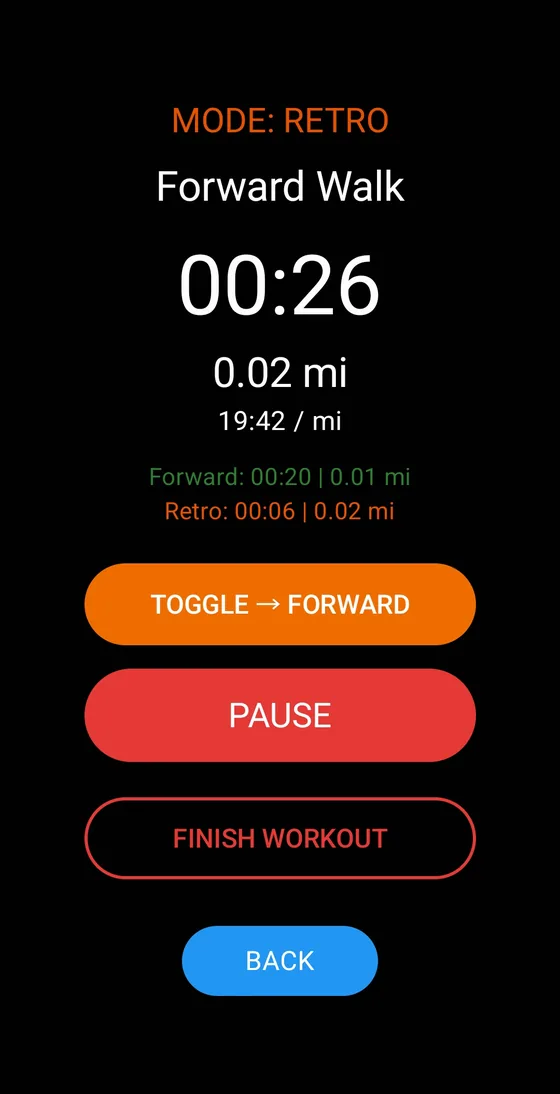
Easy. Brisk. Repeat.Inside Forward Walk, toggle between walking forward and walking backward as you go. Your history shows forward and backward time and distance separately.
Change your directionNo stopping, no starting a new session. One button switches direction, and the app keeps count of both.
A mile tells you how far you went. It doesn't tell the whole story of how you trained.
Choose a steady pace, add brisk intervals, or make room for backward walking. Start with an intention. Then track it, and see how you've improved.
I'm Robert. After dealing with calf issues, I wanted to get back to building leg strength and stamina. Walking became part of that process—but I wanted to do more than just get miles in.
I wanted a simple way to track regular walking, backward walking and intervals, and see what I was actually doing. So I started building ToggleWalk.
It's an app shaped by my own walks, tested as I go, and built around a simple idea: walking with a purpose.
The conversation that became the idea.
Practical, research-backed guides to different ways of walking—and how to get started.
Japanese interval walking alternates 3 minutes easy and 3 minutes brisk. See what the original research did and how to start with fewer rounds.
Read the guide →GuideBackward walking works your muscles differently and can raise effort. Here's what the research shows, what it doesn't, and how to start safely.
Read the guide →GuideWhat is a brisk walking pace? Typical speeds in mph and minutes per mile, what interval research used, and simple ways to find your own brisk pace.
Read the guide →ToggleWalk is being built and tested now. When it's ready for public release, you'll find the download here.
Not yet. The app is currently in development and personal testing. Public availability and pricing will be announced here.
No. The current app is designed to work on your Android phone. Outdoor distance tracking uses your phone's location.
Yes. Interval mode gives you a spoken cue five seconds before each switch between easy and brisk. If your screen times out or your mind wanders, you'll still know when to change pace.
Choose a flat, clear space away from traffic and obstacles. Start slowly, check your surroundings, and use support if you need it.